

To humanize ChatGPT text for free, paste it into an online humanizer ai tool in short chunks, pick a tone, run the rewrite, and then edit the output by hand. The tool smooths stiff rhythm and repeated phrasing. You supply the facts, the specifics, and your own voice. No free tool can promise that every detector will pass the result, so the manual pass matters as much as the click.
The problem is easy to spot. A ChatGPT draft is clean and correct, but it is flat. Every sentence runs about the same length, every paragraph opens with a transition, and every list has three items. Readers pick up on that pattern within a few lines, and teachers, editors, and detection software may pick up on it too. Free tools add their own mess: tight word caps, sign-up walls, and big promises about being undetectable.
This guide comes from the team at ilovetrend.com, where we write practical how-tos for everyday choices. Below you get four steps, from preparing your draft to publishing it responsibly. Along the way you also get a comparison table, a copy-ready prompt, and a before-and-after example.
What a humanizer AI tool does and what it can’t
A humanizer AI tool rewrites machine-written text so it has a more natural rhythm, vocabulary, and tone while keeping the meaning. It does not check facts, add experience, or fix a weak argument. Knowing that line saves you from most of the disappointment people feel with these tools.
What humanizing AI text means
Humanizing is editing, not rebuilding. Paraphrasing retells an idea in new words, and rewriting changes the structure and framing. A humanizer sits closer to a copy editor: it breaks up even sentences, swaps stock phrases, and loosens a stiff tone. That is the whole job of ai to human conversion, and it works best when the idea behind the text is already sound.
Many free tools run in the browser, need no install, and return a rewrite in seconds. The catch is the limits: per-request word caps, daily caps, and fewer style options than paid plans. Step 2 shows you how to compare them.
Why ChatGPT-style text sounds robotic
Language models pick likely next words, so their output drifts toward the average. That average shows up as a handful of habits:
- Sentences of nearly the same length, one after another
- Openers like “Moreover,” “Furthermore,” and “It is important to note”
- Lists of exactly three items
- Stock words such as “delve,” “leverage,” and “tapestry”
- Closing sentences that repeat what the paragraph just said
- No names, numbers, or personal detail
A humanizer handles the first five habits reasonably well. It cannot fix the last one, because it has nothing real to add. That part is your job in step 3.
Why “undetectable” claims need skepticism
Any undetectable ai humanizer pitch deserves doubt. Detectors score text by pattern, and they are wrong in both directions: they flag human writing and miss AI writing. OpenAI shut down its own AI text classifier in 2023 because of its low accuracy. A good rewrite lowers the odds of a flag, but nobody can guarantee a pass.
A humanizer improves how text reads; it cannot guarantee how a detector scores it.
Step 1. Prepare your draft before you paste it
Fix the content first, because a humanizer polishes whatever you give it, including mistakes. Ten minutes of prep makes any humanizer ai tool work better and cuts the editing you do afterward.
Check facts and trim filler
Start by verifying the claims. Models invent statistics, quotes, and sources with total confidence, and a rewrite will not catch them. Work through this list before you paste anything:
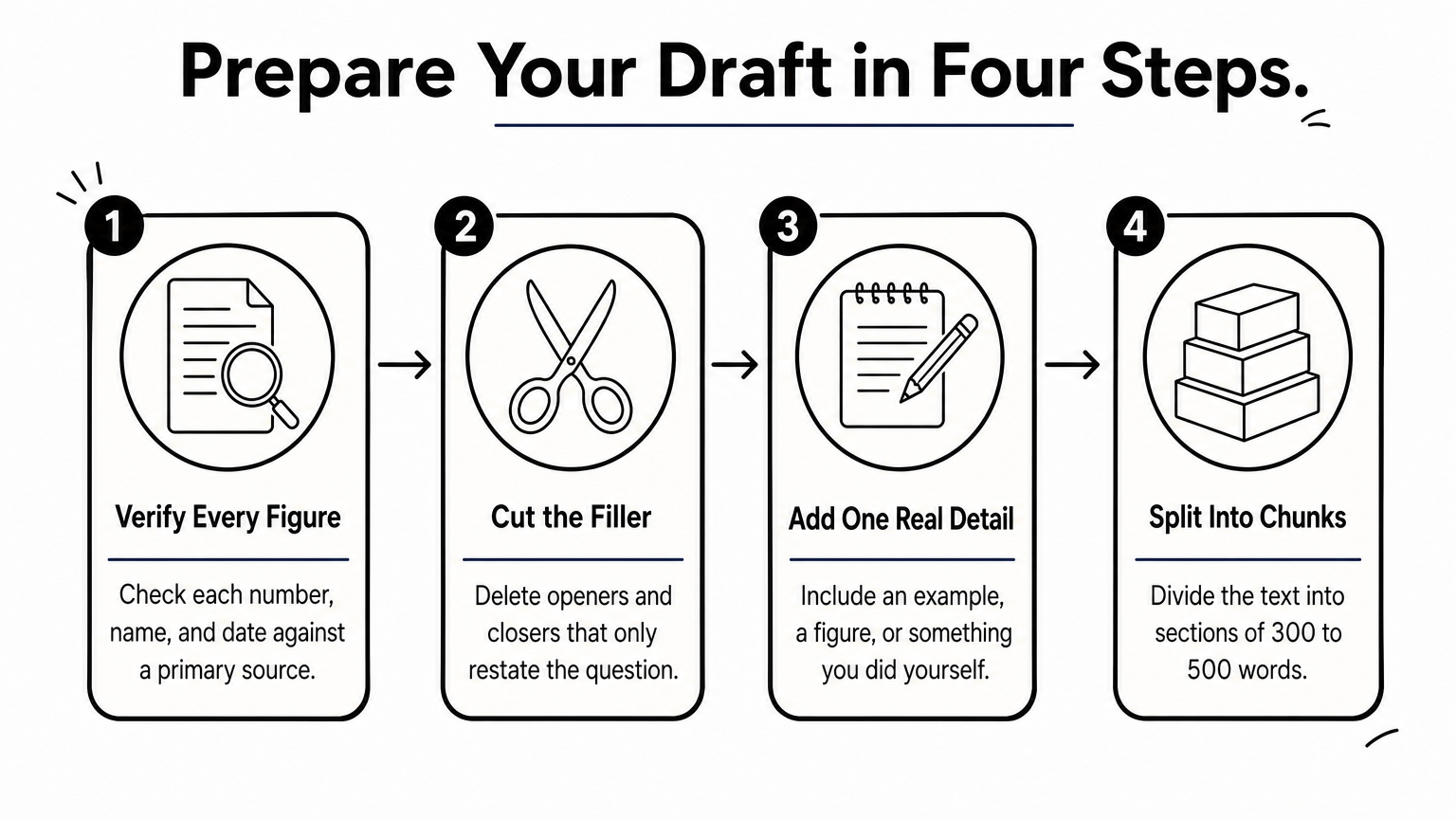
- Check every number, name, and date against a primary source.
- Delete opening and closing sentences that only restate the question.
- Add one real detail per section, such as an example, a figure, or something you did yourself.
- Split the text into chunks of roughly 300 to 500 words, so you stay under typical per-request caps and keep each rewrite focused.
Chunking also helps the result. Short inputs give the tool less room to drift from your meaning.
Ask ChatGPT for a better draft first
You can remove many robotic habits before the humanizer ever sees the text. Prompt the model to avoid its own tells, then humanize the improved draft. Copy this into ChatGPT along with your text:
Rewrite the text below in plain US English.
Mix short sentences with longer ones.
Do not start sentences with "Moreover," "Furthermore," or "Additionally."
Avoid the words "delve," "leverage," "tapestry," and "game-changer."
Do not end paragraphs with a summary sentence.
Keep every fact, number, and name exactly as written.
[paste your text here]
Clean the draft before you humanize it, and the tool has far less to fix.
Step 2. Run the text through a free humanizer
Pick a tool whose free tier fits your text length, paste one chunk at a time, choose a tone, and compare the output to your original. Plenty of ai humanizer tools exist, and the free versions differ more than their marketing suggests.
How to choose a free AI humanizer
Judge a tool by its limits and its output, not its slogans. Use this table as a quick screen:
| What to check | What to look for | Why it matters |
|---|---|---|
| Words per request | Enough for a 300 to 500 word chunk | A low cap forces many small pastes and uneven voice |
| Daily or monthly cap | A clearly stated limit | Surprise paywalls appear mid-article |
| Tone options | Casual, formal, plain, or a custom style | Tone should match the purpose of the text |
| Privacy policy | A statement on whether your text is stored | Never paste confidential material into a tool you have not checked |
| Language support | Your language is listed | Some tools handle only a few languages well |
| Output quality | Meaning unchanged in a test | Rewrites that alter facts waste your time |
Test two or three online tools with the same 200-word paragraph. Keep the one that preserves your meaning and sounds least stiff.
Run the rewrite
The process is the same in nearly every tool. Follow these steps:
- Paste your first chunk into the input box.
- Choose a tone. Casual suits blog posts and emails, while a plain or structured style suits reports.
- If there is a rewrite-strength slider, start low or medium. Heavier rewriting raises the risk of changed meaning.
- Run it once and read the result next to the original.
- Repeat for each chunk, then join them in one document.
Do not feed the same text through the tool again and again. Each pass drifts further from your meaning and tends to produce odd word choices. If one pass is not enough, edit by hand instead.
One careful pass plus your own edit beats five automatic passes.
Step 3. Edit the output by hand
The editing pass is what makes the text sound like you, and it is where a humanizer AI tool stops and your judgment starts. Budget about as much time for this as for the rewrite itself.
Read it aloud and fix the rhythm
Read the text out loud. Wherever you stumble or run out of breath, the sentence needs work. Humanizer output is smoother than raw ChatGPT, but it often still has an even beat. Use this checklist on each paragraph:
- Vary length. Follow a long sentence with a short one.
- Cut hedges such as “it is worth noting that” and “in many cases.”
- Replace vague claims with a number, a name, or an example.
- Restore your own terms if the tool swapped out a word you would never use.
- Compare facts against the original draft to confirm nothing shifted.
Anything you would not say to a colleague across a desk should go. If a sentence sounds like a press release, rewrite it as you would explain it out loud.
See a before and after
The table shows how the three stages change one passage. The example is illustrative, and your results will vary by tool and text.
| Stage | Text |
|---|---|
| ChatGPT draft | In today’s digital world, it is important to note that businesses must leverage social media to enhance brand visibility. Moreover, consistent posting can significantly improve engagement. |
| After the humanizer | Businesses need social media to get noticed. Posting often also helps people engage with the brand. |
| After your edit | If you run a small bakery, post three times a week. People start to recognize the name, and regulars start leaving comments. |
The humanizer removed the filler and shortened the sentences. Your edit added a specific reader and a concrete outcome, which is the part no tool can supply. That last version is also the one a detector, or a person, is least likely to flag.
The tool removes the robotic habits; only you can add the human detail.
Step 4. Check, disclose, and publish
Before you publish, run one detector check as a sanity test, confirm the facts again, and follow the rules of wherever the text will live. Treat every free humanizer ai result as a draft until you have done all three.
Use detectors as a signal, not a verdict
Paste the final text into a free detector and read the result as a rough hint. Different detectors give different scores on the same text, and human writing gets flagged too. If a paragraph is flagged, rewrite it with your own examples instead of running it through the humanizer again. Specific detail changes the pattern more than another automatic pass does.
Follow the rules where you publish
Disclosure rules vary by setting. A school may require you to state AI use, an employer may have a policy, and a platform may have its own terms. Whatever a tool does to your wording, those rules still apply to you.
For web publishing, Google does not ban AI-assisted content. Its guidance on helpful, people-first content says content created mainly to manipulate search rankings, including with AI, breaks its spam policies. Write for readers first, and humanizing becomes an editing step rather than a shortcut.
Run through this last list before you hit publish:
- Every fact and figure is verified against a source.
- The text carries at least one detail only you could add.
- You did not paste confidential information into a third-party tool.
- You followed any disclosure rule that applies.
Publish only what you would stand behind if the reader asked how you wrote it.
The short version
Humanizing AI text works when you treat the tool as one step in an edit, not the finish line. Fix the draft first, run a free humanizer in short chunks, then rewrite the flat spots yourself and check the facts. Skip any tool that promises a guaranteed pass on every detector.
Do that once on a real draft and the routine takes minutes. If you want more practical walkthroughs like this one, start with our roundup of the best AI humanizer tools on ilovetrend.com and pick one to test on your next draft.